Sections
Five sections sit under the title. The short line under Boost changes with the section you open.
Start on Overview. The rest of this page follows that screen from top to bottom, then the other sections.
Who it is for
The top card starts with the boost number.- While Round 1 is still raising, the line is Round 1 · Funding open (or Round 1 · Funding ended when the window has closed).
- After a token boost launches, the line is Round 1 · Genesis Story. Genesis here means Round 1, the first round.
- After Conditional tips (no token) launch, the line is Launch complete.
Status
While Round 1 is raising normally, the card does not add a status banner. Other states do:- Funding — people can still contribute.
- Paused — Creator paused contributions. Contributing stays closed until they resume.
- Invite pending — Waiting for recipient to claim.
- Launched — the boost is live. For conditional tips, the line says the raised funds were released to the recipient. If you are the recipient, it says the funds were sent to your wallet. If you started the boost, it says the recipient launched and received the funds.
- Ready to launch, Failed, Cancelled, Refunded, or Draft — the page uses that word when the boost is in that state.
Raised funds
While Round 1 is open, the card shows how much is raised, the Min, and either a Funding cap or ∞. The infinity mark means there is no maximum total — only the minimum launch amount applies. A bar shows progress toward the goal. After a token boost has launched and a later round is in progress, the card shortens Round 1 to one line: Round 1 (Genesis) complete, with the amount raised, plus View genesis funding & token details. When a later round is raising, the same card can show how much of that round’s target is in, and a jump to the round section below.Launch condition
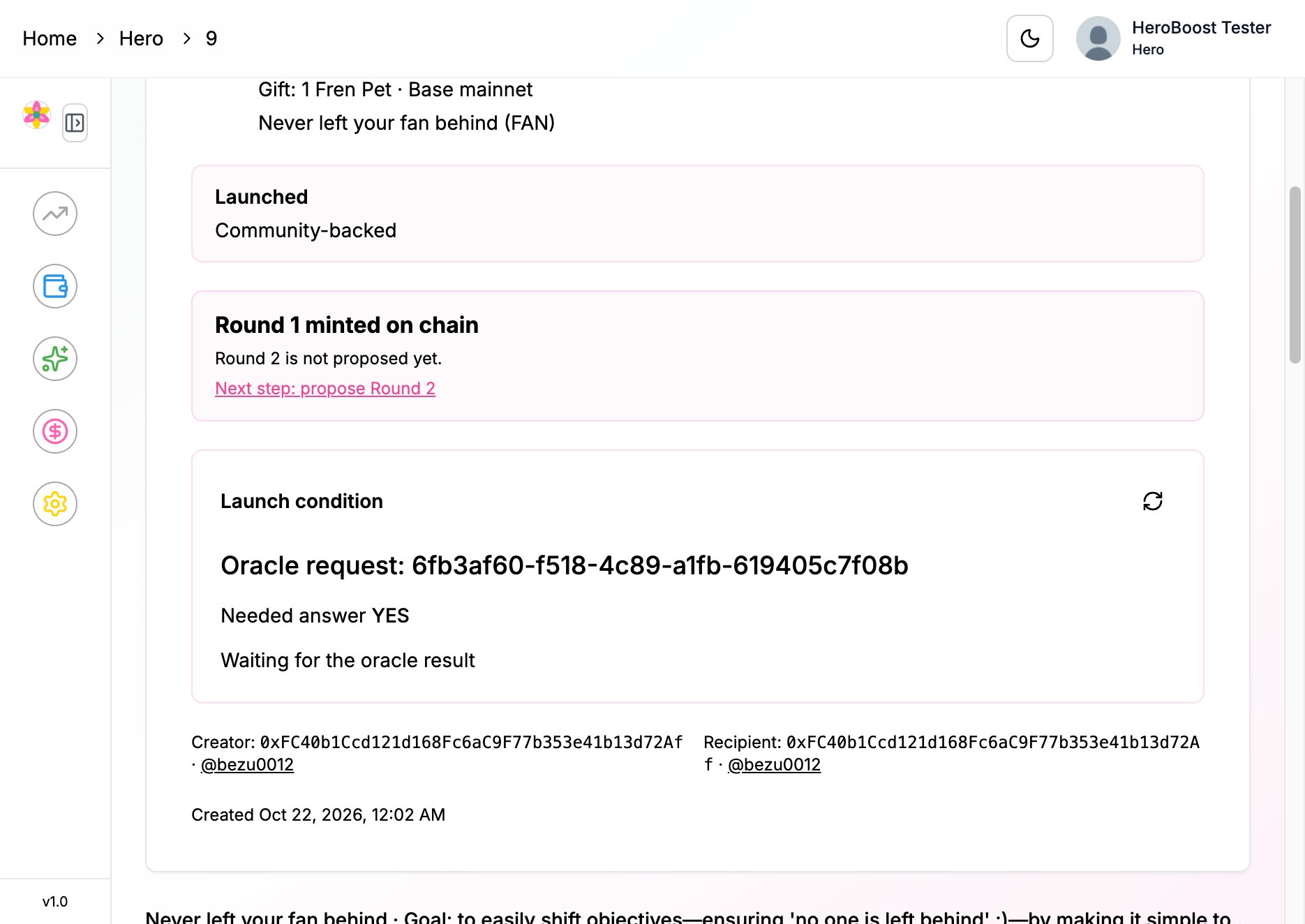
A round uses one outcome, not both. Polymarket uses a market that already exists. You do not write that question. IMD Oracle is the question you wrote, yes or no. USDC, B20 equity, and another token can all use either choice. How outcome gates work is the shared rule. The card is titled Launch condition. Polymarket shows the market question, Your chosen outcome (Yes or No), and Resolves by. While the market is open, launch waits. You can open View market on Polymarket.- When it resolves the side you chose, the page can show PASS and say launch can proceed.
- When it resolves the other way, the page can show FAIL. Launch stays blocked.
- If the market has closed but the result is not on chain yet, the page says it is waiting for confirmation. When the result is ready, a signed-in person can use Request platform attestation ($5). That fee comes from your billing balance.
- Further down, More about this condition repeats the same market as Launch condition: Prediction market, including Success means this side wins.
- Waiting for the oracle result — not answered yet.
- Launch condition met or Launch condition not met — the answer matched, or it did not.
- PASS or FAILED — the same match, once the page already knows it.
- If the question text is still loading, the page says the oracle question details are syncing. The creator can use Sync oracle request link.
- When the oracle has reported an answer, anyone can Attest on-chain and pay the network fee.
- Further down, the same block is titled Oracle launch condition.
What must happen
While Round 1 is still raising, What must happen lists:- Funding deadline, when one is set.
- Minimum goal, and either the funding cap or ∞.
- What launch still needs. With a Polymarket link, that is the funding goal, the launch code, and the market resolving the side you chose. Without that link, it is the funding goal and the launch code from the creator.
Cause
If someone added a cause, a short line of the title and goal appears under the top card, with View cause. The Cause section is the full story. Empty boosts say No cause added for this boost yet.This round at a glance
After a token boost has launched, Overview can show the current round at a glance: how much of max supply this round mints, the max mint, what is circulating after mint, and what was burned. Conditional tips (no token) do not show this block. There is no token supply to split.What you can do
What you can do names your place on this boost:- You started this boost
- You were invited to this boost
- You can back this boost
- Connect a wallet to see actions available to you
- The creator paused the boost. Contributing opens again after they resume.
- The funding deadline has passed.
- The prediction-market time has passed, so new contributions are closed.
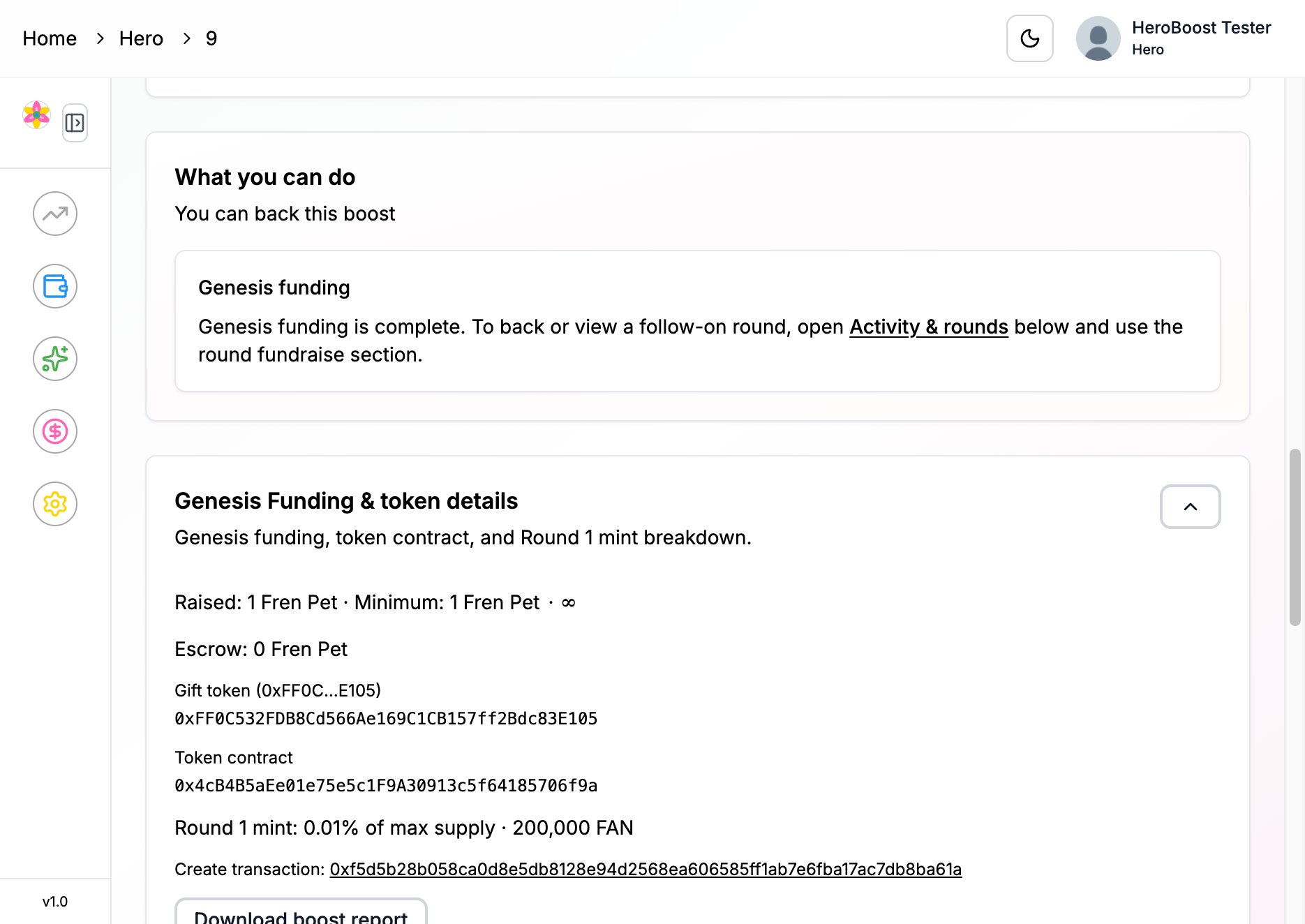
- Genesis funding is complete. To back a later round, open Activity & rounds and use that round’s fundraise section.
- A solo gift: Your gift is in escrow. You already locked it. You do not contribute again. The recipient accepts and launches when they are ready.
Genesis funding and token details
Genesis Funding & token details is the Round 1 record. Open it for:- Raised, Minimum, and the cap or ∞
- Escrow — what is still locked
- Gift token — the asset people give, with a short address you can check
- On a token boost, the Token contract, links to buy or sell that token, and Trading pool liquidity (how much is locked in the public pool, the pool address, and Add liquidity on Uniswap when that link is available)
- A line for how much Round 1 minted, and a total if later rounds have minted more
- Download boost report
- Round 1 (genesis) token split — creator allocation and the backer pool, including your share when you contributed
- Download token report and Token rounds & release (View tokenomics detail opens the longer breakdown)
- A funding table: Round funding token, Raised, Min. per contribution, Target, liquidity, Baseline (executed), Baseline (proposed), Change vs prior round, and Status. Baseline is the on-chain price floor for that round, in dollars per token. If this boost does not use one, the cell says Not applicable.
On-chain price floor
When this boost records a price floor, Activity & rounds includes On-chain price floor: the lowest price per token that later rounds must meet. It is written on chain after a round mints. The floor stays flat or moves up. It does not go down. Floor after each round lists the level after each finished round. Current floor is the latest one. While a later round is still raising, the status line can also preview the floor that round would set. That preview is not final until the round completes. No Down Baseline Protection explains the rule. It is not a promise of the trading price.Activity and rounds
Activity & rounds is where later rounds live. The Activity section is the same area with the live chain numbers. A token boost shows Next token round. After Round 1 launches, more of the token can be minted in later rounds until the max supply is used. The person allowed to propose submits the package, token holders vote, then the round mints. The heading can include how much of max supply is still left. You may see:- Who can propose the next round
- Propose the next round — how much to mint, how that mint is split, and the raise and timing, including the price floor
- Holder vote — Yes or No, when voting ends, and whether you already voted. To pass, Yes must outnumber No, and the votes cast must reach 10% of the circulating supply at the vote snapshot (the token balances frozen for that vote). If your wallet had no tokens at that snapshot, you cannot vote.
- The round fundraise, after the vote passes — contribute in that round’s asset. The same early-access cap above applies here too.
- Past rounds, each with its own raised amount, mint, and outcome
Share and invite
If you created the boost, Share & invite gives you the Boost page link and a Suggested post for X. Use Copy link, Copy post, or Post on X.Contributions
Contributions lists what was confirmed, round by round.- Gift locked this round or Raised this round, in the asset people gave
- Each contributor, and on a token boost their Backer pool tokens
- A solo gift with no separate backers says the creator funded it and there is nothing else to list
Token and vesting
Token & vesting is the unlock schedule after a token launch.- Supply & round 1 fundraising and By round
- Token release schedule or Planned release
- Token vesting — each row is a schedule from the chain. Expand it to see the detail. (your share) marks the row for your wallet.
- Claim tokens when some of your share is unlocked. Connect a wallet to see how much you can claim. A schedule that paid out in full at launch has nothing left to claim.
Cause
Cause lists each round that has a story: category, title, goal, and the longer fields someone filled in (description, milestone, links, and the rest). A round with no story of its own can show the boost-wide story from launch. A locked cause is marked Locked. Comments and community voice are marked as coming later.Related
Screenshots (sample)
This short set is a sample for review, not the full set of screenshots for this page.- 1 Overview
- 2 Raised funds
- 3 Launch condition
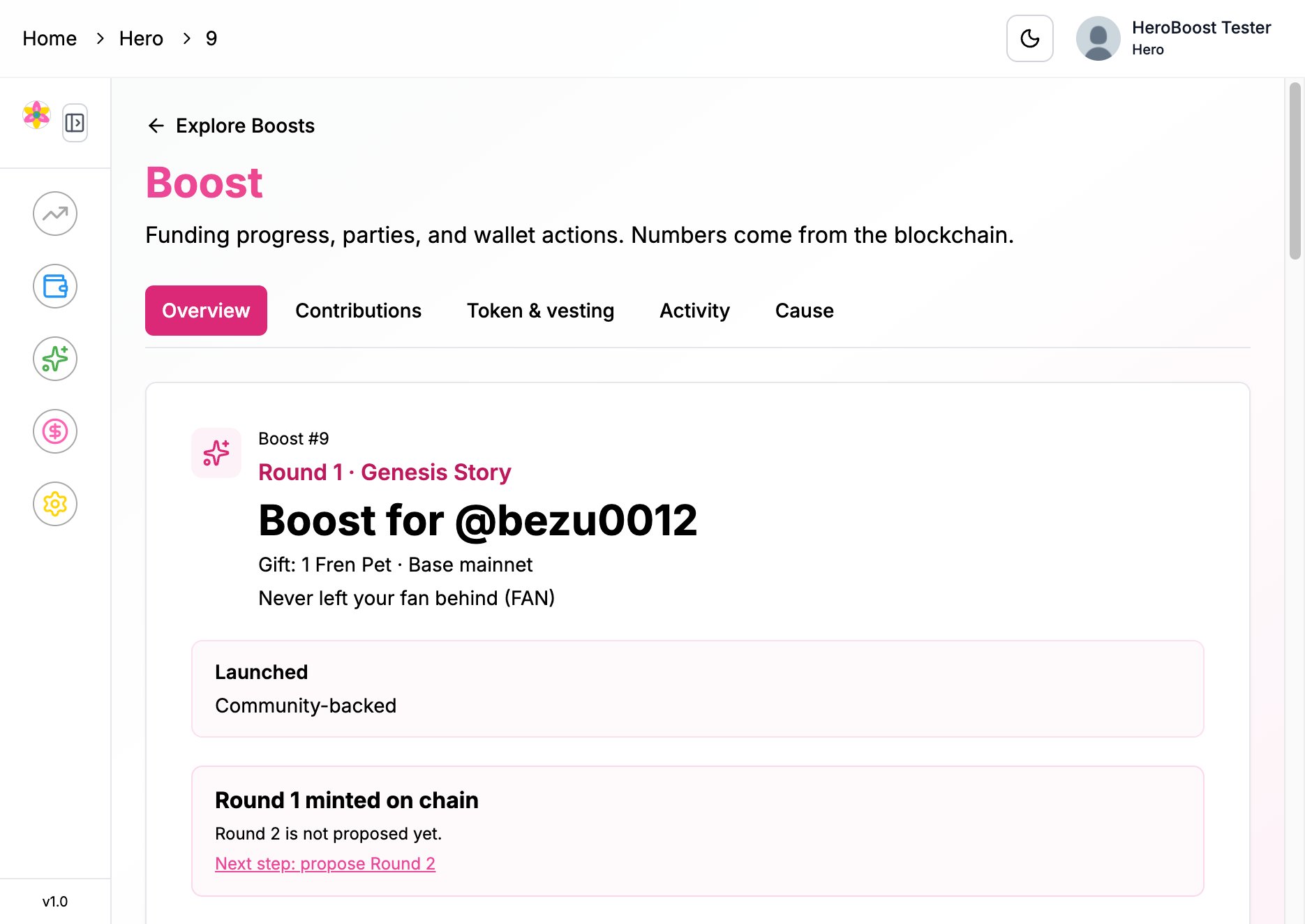
Boost header — who it is for, the gift, the network, and the status