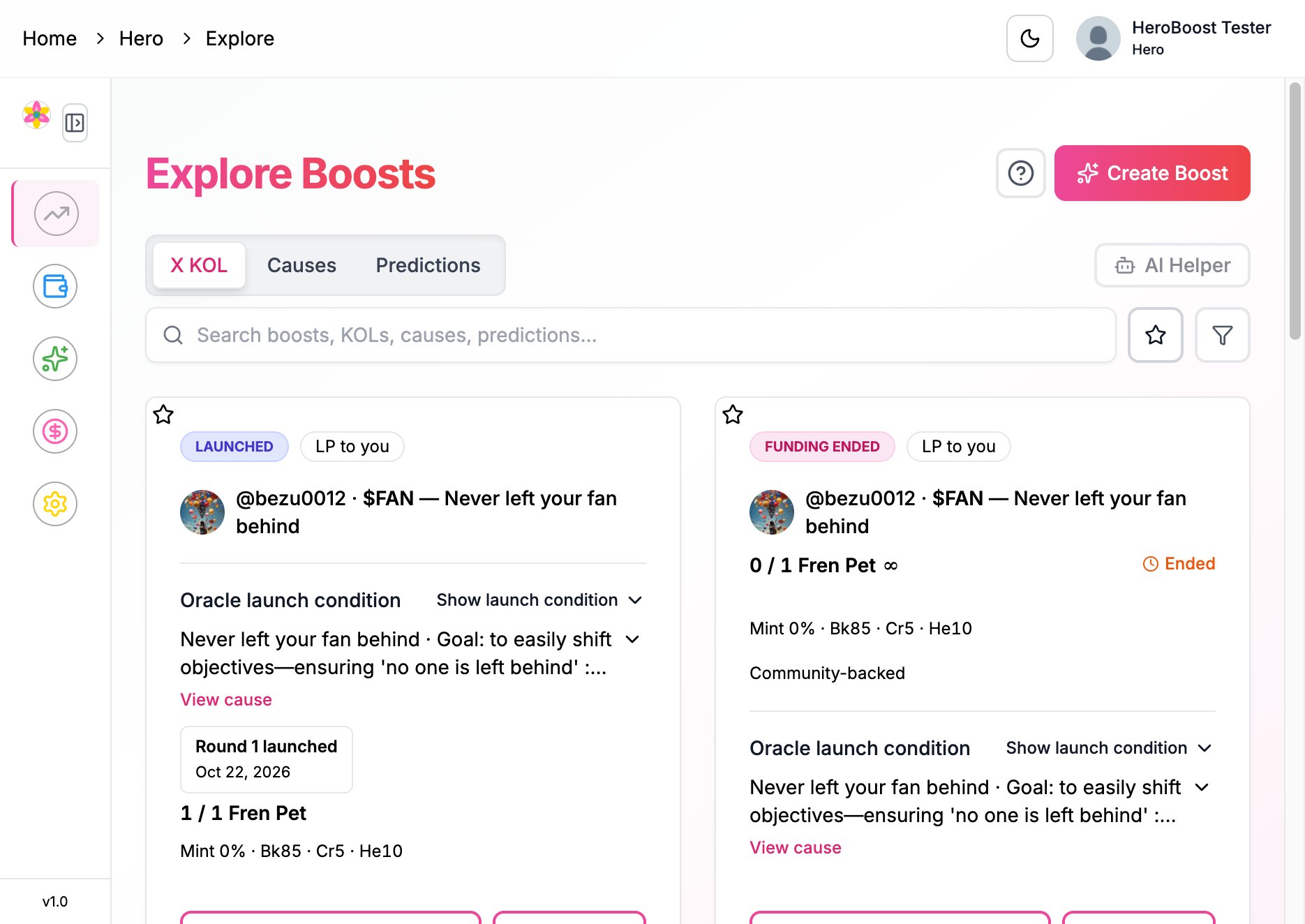
Create Boost is the same wizard for every boost. It has three steps, then a review, then a confirmation in your wallet. Open it from Explore boosts. If the wizard does not open on its own, use Open Create Boost.
Explore Boosts with the sidebar closed and a Create Boost button

Where to start — Explore Boosts, then Create Boost

You need a verified Hero account and the wallet you use for on-chain actions. Sign-in can be Sign in with wallet or Sign in with Google; the boost itself is confirmed in that wallet.
1

Recipient and amount

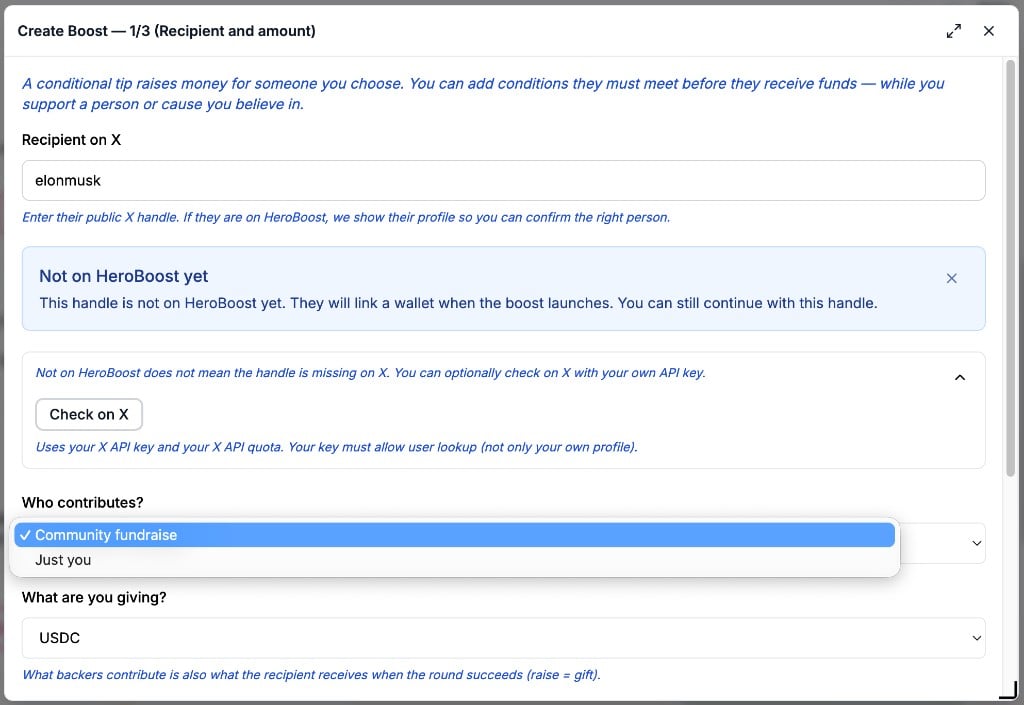
Recipient on X — enter their public X handle. If they are already on HeroBoost, the wizard shows their profile and On HeroBoost. Check that this is the right person, then confirm with I checked that this is the right person to receive funds.Who contributes? — Just you, or Community fundraise.
Who receives the boost and who can contribute

Recipient and amount — who receives the boost, and who can contribute
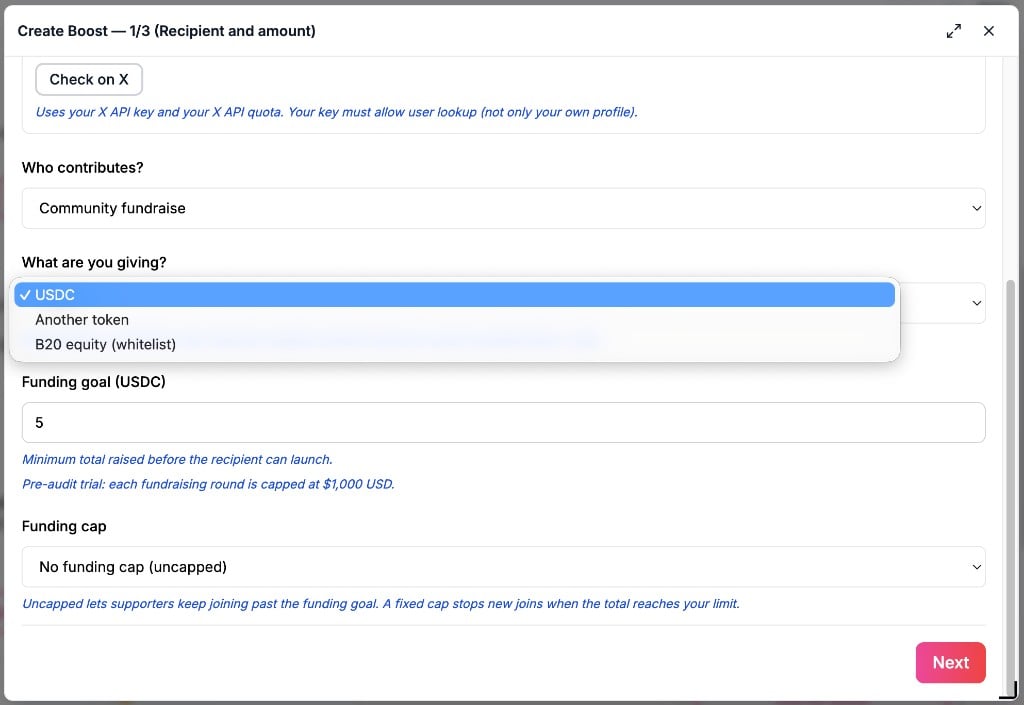
What are you giving? — USDC, Another token, or B20 equity (tokenized equity on the allowed list). Another token can be any ERC-20, for example WETH. What people contribute is what the recipient receives if the round succeeds. A liquidity pool and other advanced token features are usually available only for tokens on the allowed list.To raise or tip for yourself, enter your own X handle as the recipient.Funding goal — the minimum total raised before the recipient can launch. Funding cap — leave it open so people can keep joining past the goal, or set a fixed cap that stops new joins at your limit. A fixed cap must be at least the funding goal.
The asset, the funding goal, and the early-access cap

Recipient and amount — the asset, the funding goal, and the early-access cap

2

Tip conditions

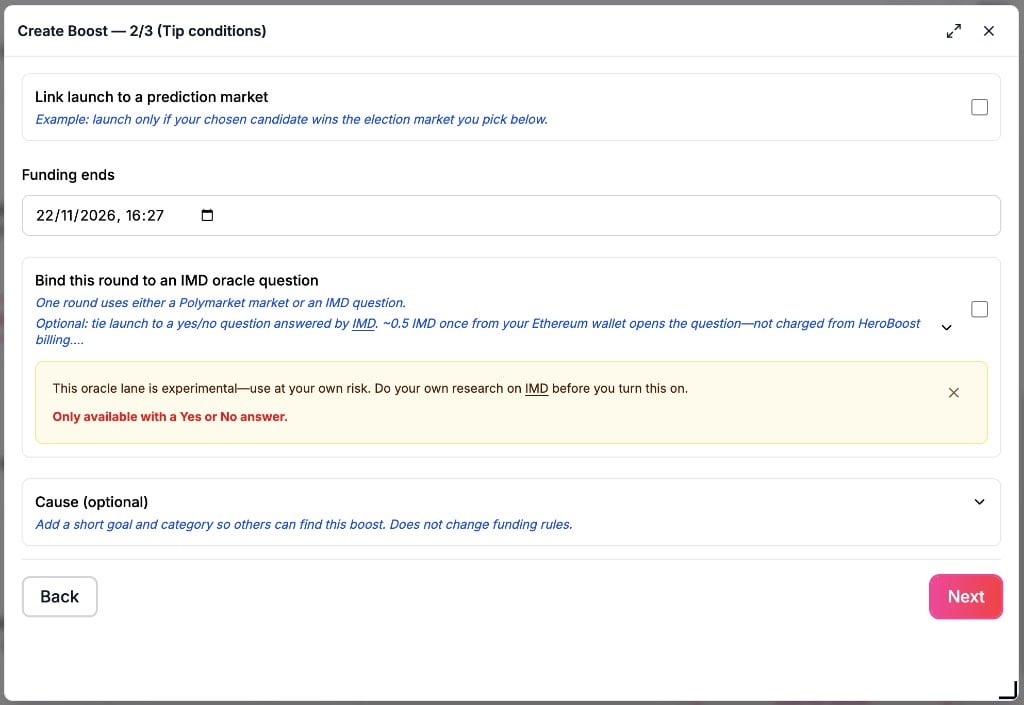
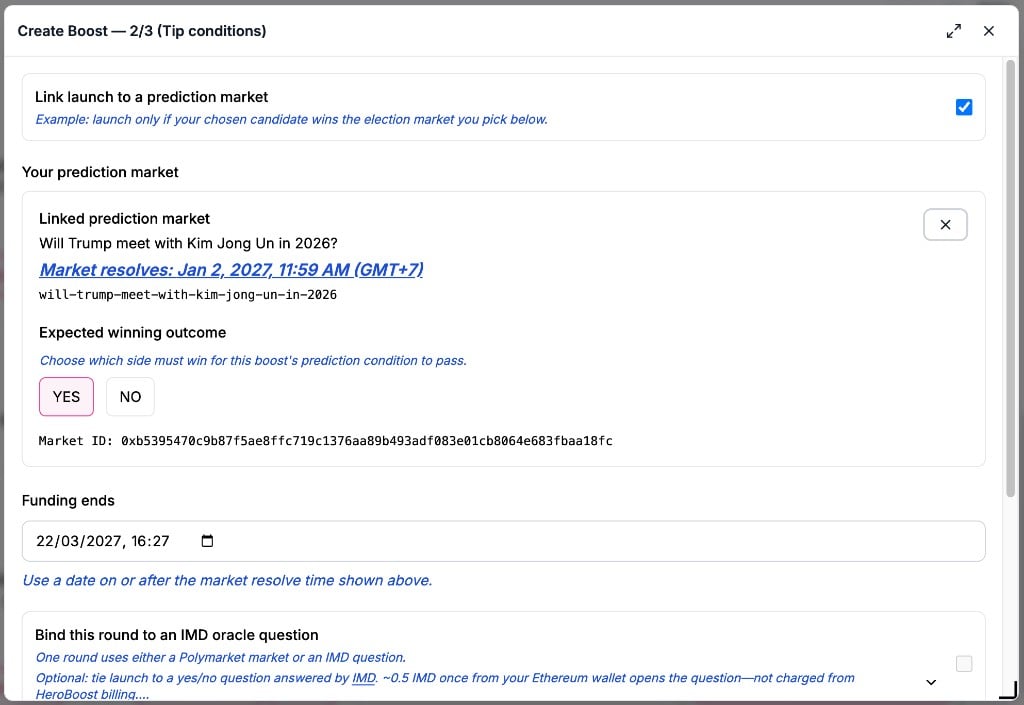
This step is optional. You can leave outcome rules off.A round can wait for one outcome, not both. Polymarket is the larger choice: those markets already exist, you pick one, and you cannot write your own question there. IMD Oracle is the smaller choice: you write your own yes/no question. USDC, B20 equity, and another ERC-20 can all use either choice.Paste a request you already have, or pay for a new question, on IMD oracle question.Funding ends must be on or after the time that result can be settled. How outcome gates work explains the shared rule.
Both outcome choices are off, and Funding ends is set.
Both outcome choices are off, and Funding ends is set.

The prediction-market link is on, a market is chosen, and the winning side is Yes.

The prediction-market link is on, a market is chosen, and the winning side is Yes.

3

Token choice

The wizard labels this Round 1.Does the recipient need to create a token?
  • Recipient doesn’t need to create a token — Conditional tips (no token). Raised funds go to the recipient when they launch. This path does not create a token, and this boost does not open later token rounds.
  • Recipient must create a token to reward tippers — this is the token launch. They set up a commemorative token and share it with people who funded the boost. You then choose how that token is distributed, or open Custom token settings.
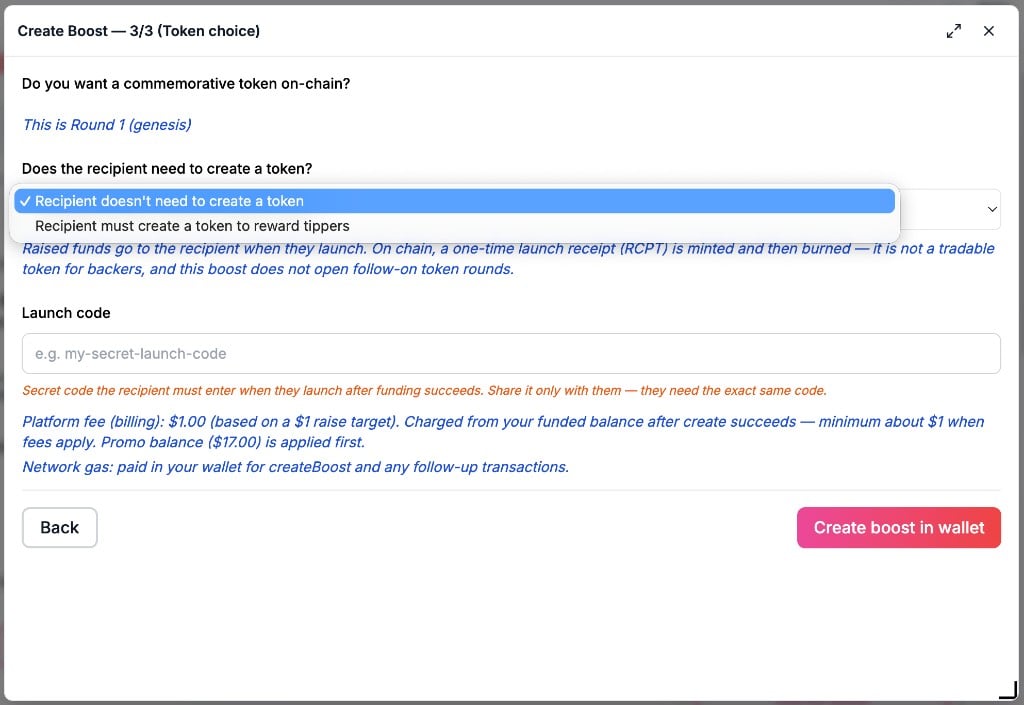
Create Boost step 3 of 3, Round 1, with the token choice menu open, a launch code field, a platform fee line, and a network gas line

Round 1 token choice — the open menu and the fee lines shown before you confirm
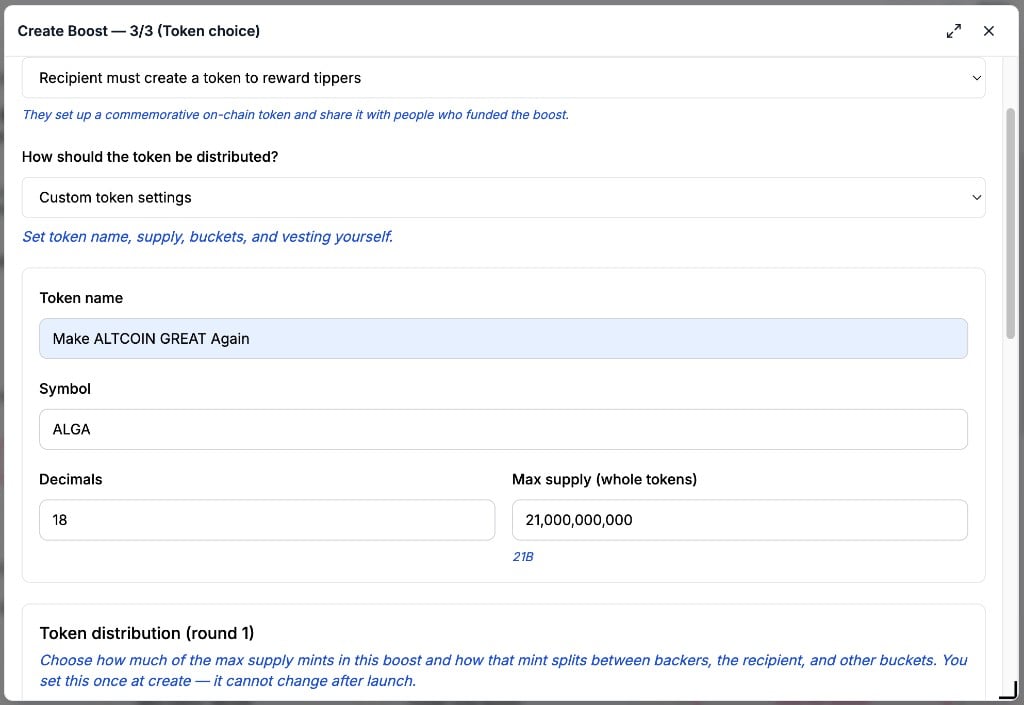
Some actions can include a fee. The amount is shown before you confirm. The main plans are on the HeroBoost pricing page. Smaller fees that page does not list are on Pricing.Under Custom token settings, the token name is Make ALTCOIN GREAT Again, the symbol is ALGA, decimals are 18, and the max supply is 21,000,000,000.
Custom token settings with token name Make ALTCOIN GREAT Again, symbol ALGA, decimals 18, and max supply 21,000,000,000

Custom token settings — name Make ALTCOIN GREAT Again, symbol ALGA, decimals 18, max supply 21,000,000,000
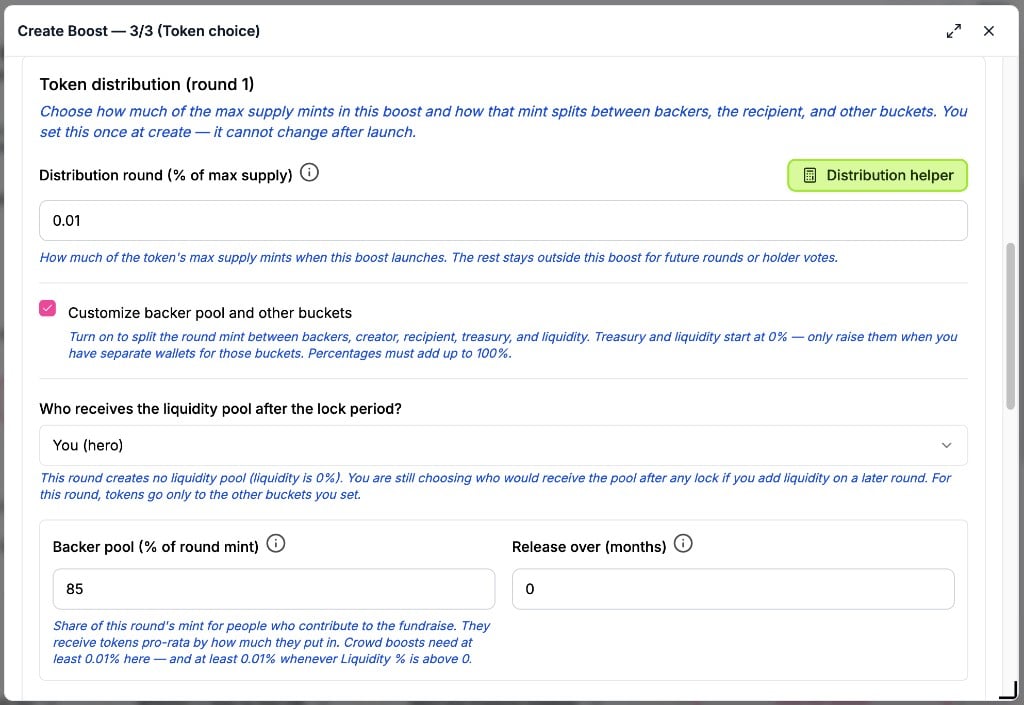
On Token distribution (round 1), this boost mints 0.01% of the max supply, Customize backer pool and other buckets is on, and the backer pool is 85%.
Token distribution round 1 at 0.01% of max supply, customize buckets on, and backer pool 85%

Token distribution (round 1) — 0.01% of max supply, customize buckets on, backer pool 85%
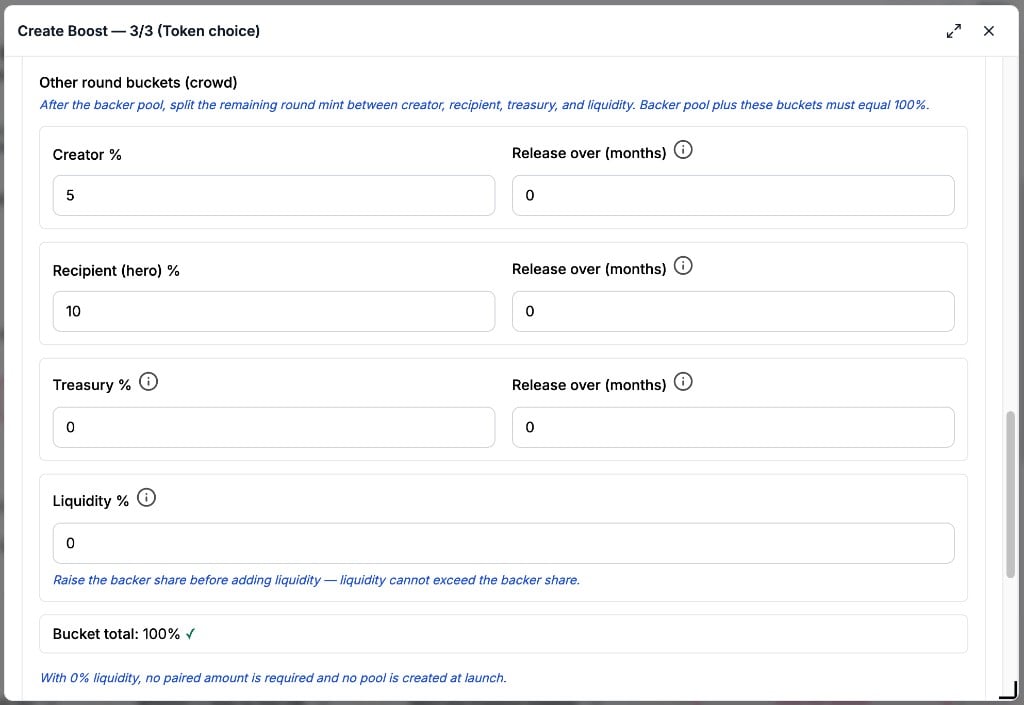
Other round buckets are creator 5%, recipient 10%, treasury 0, and liquidity 0, so the bucket total is 100%.
Other round buckets with creator 5%, recipient 10%, treasury 0, liquidity 0, and bucket total 100%

Other round buckets — creator 5%, recipient 10%, treasury 0, liquidity 0, bucket total 100%
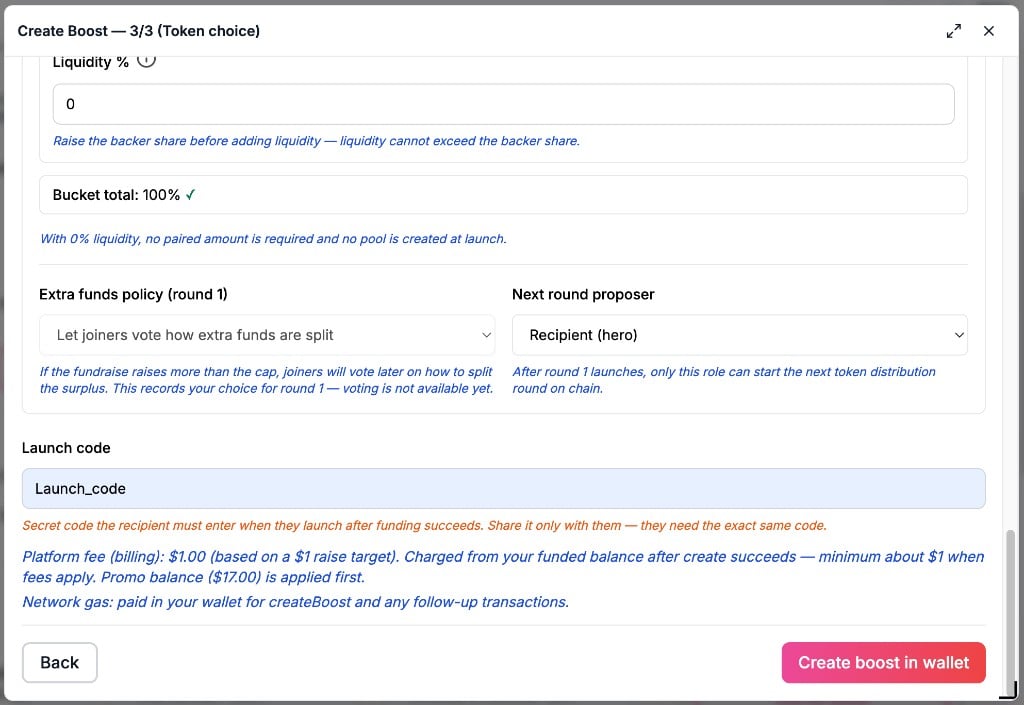
Extra funds policy (round 1) lets joiners vote how extra funds are split, and the Next round proposer is Recipient (hero). If you set a launch code, share that exact code only with the recipient. They enter it when they launch after funding succeeds.
Extra funds policy set to let joiners vote, next round proposer Recipient (hero), and a launch code

Extra funds policy and next round proposer — Recipient (hero), with the launch code

4

Review and confirm

Review your boost shows the recipient, funding, tip conditions, and token choice. Then choose Create boost in wallet and confirm in your wallet.

Someone who is not on HeroBoost yet

If the handle is valid but not on HeroBoost, the wizard says Not on HeroBoost yet. You can still continue with that handle. When they create a Hero account and sign in with that same X account, For you, then Invites, shows this boost. They link a wallet when the boost launches. Check the handle yourself. Not on HeroBoost does not mean the handle is missing on X. Open Show optional X check, add your own X API key under Settings → API keys, then use Check on X. HeroBoost does not run that check for you. It uses your key and your X quota. After the boost is on chain, Share this invite gives you the boost link and a suggested post. Share it so they can find the boost and claim it when their X account matches.

After you create it

Open the boost and use Read a boost. Round 1 is covered in First round. A token boost can continue in Later rounds. Conditional tips (no token) do not create a token, and they do not open a later token round.